
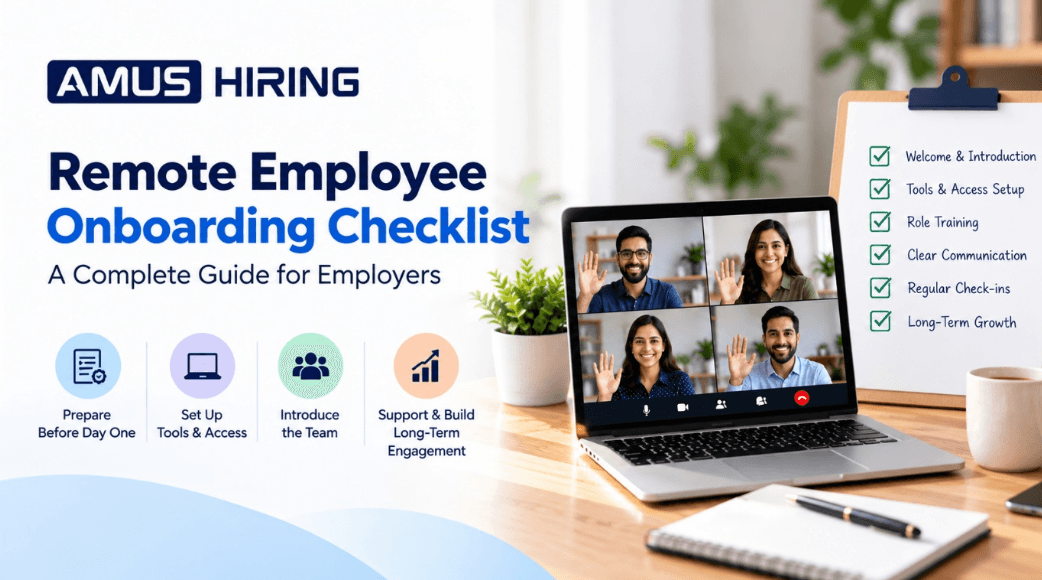
Remote Employee Onboarding Checklist: A Complete Guide for Employers
Introduction
Hiring the right employee is only the beginning of building a successful team. Once a candidate accepts an offer, employers need to ensure that the new hire understands their responsibilities, has access to the right tools, and feels connected to the organization.
This becomes especially important when employees work remotely. Without an in-person office environment, new hires may find it difficult to understand company processes, communicate with colleagues, or know where to turn when they need help.
A structured remote employee onboarding checklist helps businesses create a smooth and organized experience from the first day. It also helps managers set clear expectations, introduce company culture, and support employees as they settle into their roles.
Whether you are a startup, a growing business, or an established organization hiring employees across different locations, this guide will help you plan an effective remote onboarding process.
What Is Remote Employee Onboarding?
Remote employee onboarding is the process of introducing a new employee to a company, its people, tools, policies, and responsibilities without requiring them to work from a physical office.
It involves more than sending an offer letter and providing login credentials. Effective onboarding includes preparing the employee before their start date, introducing them to their team, explaining workflows, providing training, and offering regular feedback.
A well-planned onboarding process helps employees understand:
-
Their job responsibilities and performance expectations.
-
The company's mission, values, and working culture.
-
The tools and systems they need to perform their work.
-
How to communicate with managers and colleagues.
-
Where to find support, documentation, and training resources.
Why Is Remote Employee Onboarding Important?
Remote employees cannot always walk over to a colleague's desk to ask a question. Without clear guidance, even experienced professionals may struggle to understand unfamiliar systems and processes.
A structured onboarding program helps address these challenges.
1. Creates a Positive First Impression
An organized first day shows employees that the company is prepared to welcome them. Providing a clear schedule, essential documents, and introductions helps new hires feel valued.
2. Clarifies Roles and Expectations
Employees should know what they are responsible for, which tasks take priority, and how their performance will be evaluated. Clear expectations reduce confusion and help employees focus on the right objectives.
3. Improves Communication
Remote teams depend on effective communication. Explaining which channels to use for meetings, urgent requests, project updates, and general questions helps prevent misunderstandings.
4. Supports Faster Learning
Access to training materials, standard operating procedures, demonstrations, and a designated point of contact helps employees learn their responsibilities more efficiently.
5. Encourages Long-Term Engagement
Employees who feel supported are better positioned to develop relationships with colleagues and understand how their work contributes to business goals.
The Complete Remote Employee Onboarding Checklist
Use the following checklist to organize onboarding activities before the employee joins and throughout their first month.
Phase 1: Before the Employee's First Day
Preparation should begin as soon as the employee accepts the offer.
1. Complete the Required Documentation
Prepare the employment agreement, joining instructions, company policies, payroll forms, and other documents relevant to the employee's location and employment arrangement.
Clearly explain any documents that need to be completed before the joining date.
2. Prepare the Employee's Equipment and Accounts
Identify the equipment and access the employee needs. Depending on the role, this may include:
-
Laptop and accessories.
-
Company email account.
-
Video conferencing and messaging tools.
-
Project management software.
-
Role-specific applications and databases.
-
Secure access credentials and authentication.
Follow your organization's IT security policies. Provide access only to the systems and information required for the employee's role.
3. Create a First-Day Schedule
Share a simple agenda before the employee starts. Include the joining call, HR orientation, manager introduction, tool setup, training sessions, and time for questions.
Avoid scheduling continuous meetings throughout the day. New employees need time to explore their tools and absorb information.
4. Assign an Onboarding Buddy or Point of Contact
Choose a manager, team member, or onboarding coordinator who can answer questions and guide the new hire through the initial weeks.
Make sure the employee knows whom to contact for technical issues, HR questions, and work-related concerns.
Phase 2: The First Day
The first day should focus on welcoming the employee and helping them understand the basics.
5. Introduce the Company and Its Culture
Explain the company's mission, services, values, customers, and team structure. Give the employee an overview of how their role contributes to the organization's objectives.
6. Introduce Team Members
Arrange short virtual introductions with the people the employee will work with regularly. Explain each person's role and how the team collaborates.
7. Explain Communication Guidelines
Establish clear guidelines for remote communication, including:
- Which platform to use for daily communication.
- How to raise urgent issues.
- When meetings are required and when written updates are sufficient.
- Expected response times during working hours.
- How to share progress and report blockers.
These guidelines help employees work confidently without feeling that they must always be online.
8. Review the Employee's Role and Priorities
The manager should explain the employee's main responsibilities, immediate priorities, reporting structure, and initial deliverables.
Provide examples of successful work wherever possible so that expectations are easy to understand.
Phase 3: During the First Week
The first week should focus on learning, guided practice, and building confidence.
9. Provide Role-Specific Training
Prepare a training plan based on the employee's responsibilities. For example, a marketing employee may need training in content calendars, analytics tools, campaign processes, and brand guidelines. A logistics employee may need training in shipment documentation, tracking systems, and operational workflows.
Use demonstrations, written instructions, recorded tutorials, and supervised practice when appropriate.
10. Share Standard Operating Procedures
Document recurring tasks and workflows. Useful resources include process guides, checklists, frequently asked questions, templates, and escalation procedures.
Keep these resources organized in a shared location with appropriate access permissions.
11. Set Short-Term Goals
Give the employee achievable goals for the first week. These might include completing training modules, learning the primary tools, understanding a workflow, or completing a small supervised assignment.
Clear, manageable goals make progress easier to measure.
12. Schedule Regular Check-Ins
Arrange brief check-ins with the manager during the first week. Ask whether the employee understands their tasks, has access to the required systems, and needs additional support.
Encourage questions and address problems early rather than waiting for a formal review.
Phase 4: During the First Month
Once the employee understands the basics, onboarding should gradually shift toward independent work and performance development.
13. Increase Responsibility Gradually
Start with guided assignments and progressively introduce more complex tasks as the employee becomes comfortable with the role.
Provide feedback on completed work and explain how the employee can improve.
14. Review Performance Expectations
Discuss the employee's initial goals, quality standards, deadlines, and key performance indicators (KPIs), where applicable.
Make sure targets are realistic, measurable, and relevant to the role.
15. Encourage Team Collaboration
Include the new employee in appropriate team meetings, project discussions, knowledge-sharing sessions, and informal conversations.
Remote employees should understand how decisions are made and how their work connects with other teams.
16. Collect Feedback About Onboarding
Ask the employee what worked well and what could be improved. Find out whether training materials were clear, tools were easy to access, and communication was sufficient.
Use the feedback to improve future onboarding experiences.
Phase 5: At the End of the First Month
At the end of the first month, conduct a structured review.
Discuss completed tasks, progress against initial goals, remaining training needs, and any challenges affecting performance.
Create a follow-up development plan with clear next steps. Remember that employees may need different amounts of time to become fully productive, depending on the complexity of their role and previous experience.
Common Remote Onboarding Mistakes Employers Should Avoid
Even a well-intentioned onboarding process can become ineffective if key details are overlooked.
Providing Too Much Information at Once
Sharing every policy, process, and training document on the first day can overwhelm new hires.
Better approach: Organize information into manageable stages and explain which resources are most important at each stage.
Leaving Employees Without Clear Instructions
A new employee may hesitate to ask questions if they do not know whom to contact.
Better approach: Assign a specific point of contact and provide clear instructions for raising questions or reporting blockers.
Ignoring Company Culture
Remote onboarding can become focused entirely on tasks and software access, leaving employees disconnected from the team.
Better approach: Introduce company values, team practices, communication norms, and opportunities to build working relationships.
Failing to Set Measurable Expectations
Vague instructions make it difficult for employees to understand what success looks like.
Better approach: Set clear initial objectives, explain quality standards, and schedule regular feedback sessions.
Treating Onboarding as a One-Day Activity
Providing login credentials and conducting an introduction call is not enough for many roles.
Better approach: Plan onboarding activities across the first few weeks and adapt the plan based on the employee's progress.
Tools That Can Support Remote Employee Onboarding
The right tools depend on the size of the company, the nature of the role, and the team's existing systems.
Common tool categories include:
-
Communication: Video meetings, team messaging, and email.
-
Project management: Task tracking, deadlines, and work assignments.
-
Documentation: Shared knowledge bases, policies, and standard operating procedures.
-
Training: Learning platforms, recorded demonstrations, and training checklists.
-
HR management: Employee records, onboarding forms, and policy acknowledgements.
-
Security: Password management, multifactor authentication, and access management.
Choose tools that fit your workflow and protect confidential information. A complicated technology stack is not necessary if a smaller set of tools can meet the team's needs.
How to Measure Remote Onboarding Success
Employers should evaluate onboarding based on whether employees are becoming confident, connected, and capable of performing their responsibilities.
Useful measures include:
Time to productivity: How long it takes an employee to perform key tasks independently at the expected standard.
Training completion: Whether required training and documentation have been completed.
Goal achievement: Progress against the initial objectives agreed upon with the manager.
Employee feedback: The employee's assessment of the clarity, usefulness, and supportiveness of onboarding.
Early retention: Whether new employees remain with the organization during the initial employment period, interpreted alongside other factors that affect retention.
Use these measures to identify gaps and improve the onboarding process rather than treating them as isolated performance scores.
How AMUS Hiring Can Support Your Remote Hiring Journey
Finding the right employee is an important step in building a successful remote team. Employers also need a clear process for introducing new hires, explaining responsibilities, and helping them integrate into the organization.
AMUS Hiring connects businesses with talent for technical and non-technical roles and provides remote staffing and recruitment options. Its platform can help employers explore hiring solutions suited to their workforce requirements.
After selecting a candidate, businesses can use the checklist in this guide to prepare for the employee's arrival, organize training, establish communication practices, and monitor progress.
Explore AMUS Hiring to learn more about its hiring solutions, or visit the Get Started page to explore the available options.
Frequently Asked Questions
1. What is included in a remote employee onboarding checklist?
A remote employee onboarding checklist typically includes employment documentation, equipment and account setup, company orientation, team introductions, role-specific training, communication guidelines, initial goals, and regular feedback sessions.
2. How long should remote employee onboarding take?
The duration depends on the employee's role, experience, and responsibilities. The first day generally covers introductions and essential setup, while training and integration may continue for several weeks or longer.
3. How can employers make remote employees feel welcome?
Employers can arrange team introductions, assign an onboarding buddy, explain company culture, schedule regular check-ins, and make it easy for employees to ask questions.
4. What are the biggest challenges in remote employee onboarding?
Common challenges include unclear communication, limited access to informal guidance, inadequate documentation, technical setup problems, and uncertainty about job expectations.
5. How can companies measure onboarding effectiveness?
Companies can review training completion, progress toward initial goals, time to productivity, employee feedback, and early retention trends.
6. Who is responsible for remote employee onboarding?
Onboarding is usually a shared responsibility. HR manages employment documentation and policies, IT supports equipment and access, managers clarify responsibilities and performance expectations, and team members help the new hire integrate into daily workflows.
Conclusion
An effective remote employee onboarding checklist gives employers a practical way to welcome new hires, organize training, clarify responsibilities, and build strong working relationships.
The key is to prepare before the first day, provide structured support during the initial weeks, and continue reviewing progress after the employee begins working independently.
When onboarding is treated as an ongoing process rather than a one-day event, businesses can create a more consistent experience for employees and build a stronger foundation for remote team performance.
Ready to build your remote team? Explore the hiring solutions available through AMUS Hiring and take the next step toward finding talent that fits your business needs.